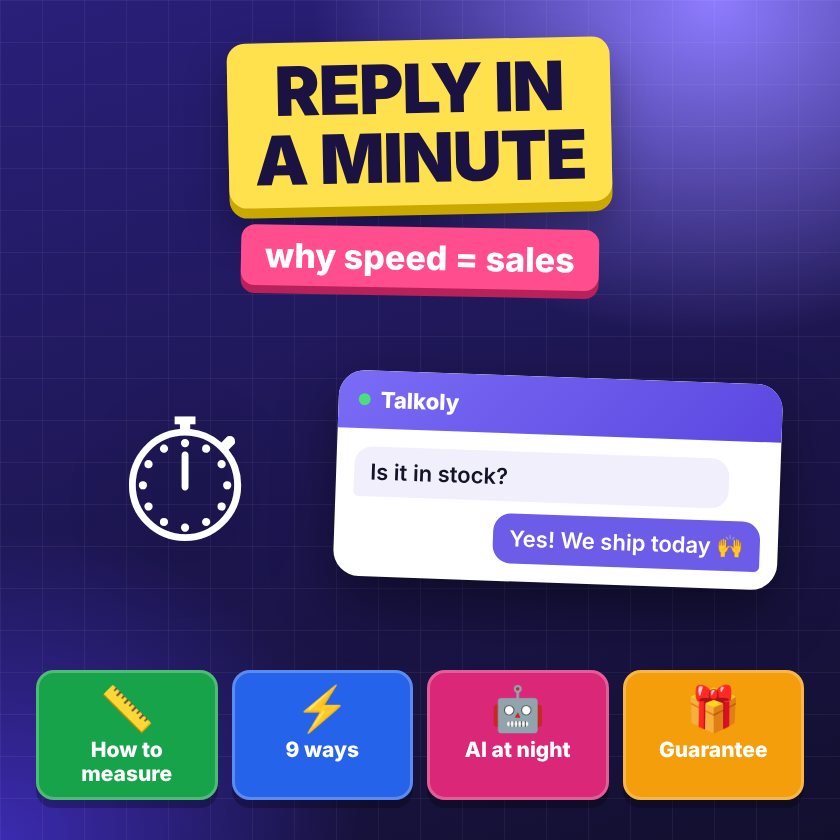
- A person who writes in chat is usually choosing between you and a competitor. Whoever replies first makes the sale.
- The main metric is first response time. Everything else (conversation length, number of messages) matters less.
- Replying within a minute is possible without a big team: Telegram, push notifications on your phone, quick replies, honest working hours and an offline form.
Why speed matters more than the perfect answer
Think about how you shop online yourself. You have three tabs open with the same product in different stores. In one, you asked a question in the chat — and you wait. For how long? Usually exactly until another store replies first.
A customer in chat is at the hottest point of the sales funnel (the path from first visit to purchase). They have already found the product, they are already comparing, they are almost ready to pay — and they are missing one answer: “do you have size M”, “will it arrive by Saturday”, “will it fit my laptop”. While they wait, everything that gets in the way of a purchase is at work: doubts, a competitor’s ad, a call from the boss, a child asking for lunch.
That’s why a short, fast answer is almost always better than a detailed but slow one. “Yes, M is in stock, let me check if we can make it by Saturday” in 30 seconds keeps the person. A perfect answer with photos and links 15 minutes later often lands in an empty room: the tab is already closed.
There is a second effect. A fast reply is a signal that the store is alive and you can deal with it. If they answer you within a minute before you buy, they probably won’t abandon you after the purchase with a return or a shipping issue. Customers draw this conclusion by instinct.
How to measure first response time
Before speeding up, it helps to know where you start. First response time is the gap between the customer’s first message and the first reply from a real person. An automatic greeting doesn’t count: the customer knows it’s a robot.
How to measure it without complex tools:
- Take the last 20–30 conversations from a normal working week.
- For each, write down the time of the customer’s first message and the time of the agent’s first reply.
- Calculate not just the average, but also the median (the middle value) and the worst cases. The average often hides the problem: ten replies within a minute and two after an hour give a “normal” average, but you most likely lost those two conversations.
- Look separately at conversations during lunch, in the evening and on weekends — that’s usually where the biggest gaps are.
It also helps to count how many customers left without getting an answer. If your chat shows when a visitor closed the page, you see this right away. In Talkoly, analytics shows an agent rating (Business plan) and lost customers (Pro plan), so you don’t have to count by hand.
What target to set? An honest benchmark for an online store is a reply from a real person within a minute or two during working hours. Outside working hours — an honest message about when you’ll reply, and a contact form.
Ways 1–3: remove the barrier between the message and the agent
The most common reason for slow replies isn’t laziness. It’s that the agent simply doesn’t see the message. The panel tab got lost among twenty others, the sound is off, the person went to the warehouse. The first three ways are about making the message find you on its own.
1. Reply from Telegram
Most of us have Telegram open all day. If a website message arrives there, you see it as fast as a message from a friend. You reply to it, and the customer sees your answer in the chat on the website. Setup details are in the article how to reply to website customers from Telegram and on the page Telegram live chat for your website.
2. The panel as a phone app with push notifications
If you prefer a separate tool, install the agent panel on your phone as a web app (PWA — a website that installs like an app) and allow notifications. A push will arrive even when the browser is closed. This is a lifesaver for owners of small stores who pack parcels and run the chat at the same time.
3. Split into departments
When a shipping question reaches the product advisor, they first look for a colleague while the customer waits. Split the flow: “Product advice”, “Shipping and payment”, “Warranty and returns”. The customer picks a topic before the first message, and it goes straight to the person who knows the answer.
Ways 4–6: reply faster once the message is in front of you
4. Quick replies
Half of the questions in an online store’s chat repeat: shipping times, payment methods, return terms, where your store is. Save the answers as templates and insert them with one command. Write templates in a natural voice so they don’t sound like an autoresponder, and leave room to add a name or detail.
“We ship with Nova Poshta on the day of the order if you order before 3 pm. Most cities get it in 1–2 days. Which branch is most convenient for you?”
More examples of ready phrases are in the article sales scripts for chat.
5. A “still here” message
Sometimes you can’t give a real answer within a minute: you need to go to the warehouse, check stock, ask a supplier. In that case your first reply should not be silence, but a short explanation:
“Thanks, I see your question. I’m checking stock in the warehouse — I’ll reply in 3–4 minutes, please don’t close the page.”
It takes 5 seconds but changes everything: the customer knows they were heard and how long to wait. While they wait, the chat on the Business plan can show them similar products from your feed (the product list your store exports) or offer a mini-game — this also helps keep their attention.
6. Assigning and handing over conversations
When there are several agents, conversations “hang” because nobody is sure who’s on it: everyone thinks someone else will reply. Agree on a rule: the first person to open a conversation takes it, and if the question isn’t their area, they hand it to a colleague in one click instead of writing “please contact another department”. The customer should never have to repeat their question.
Ways 7–8: be honest when you’re not there
Nobody replies within a minute at three in the morning. That’s fine, as long as the chat doesn’t promise it.
7. Working hours and an offline form
The worst case is when the chat button looks the same day and night. The customer writes, waits, gets nothing and decides the store is abandoned. Set your working hours: outside them, the chat shows an auto-reply with the time you’ll be back and asks for a phone number, Telegram or email. In the morning you write first — and often it’s still a warm conversation.
“We’re offline right now and back at 9:00. Leave your phone or Telegram — we’ll write to you first thing when our day starts.”
The same goes for situations you can’t plan: air raid alerts or power outages. There is a separate article on this: how a store can work during air raids.
8. An AI assistant outside working hours
If many questions come in the evening and most of them are typical, an AI assistant can answer from the store’s knowledge base while no agents are around. It’s important that it doesn’t make things up: when the answer isn’t in the knowledge base, it should honestly pass the question to people and ask for a contact. That’s how the AI assistant works in Talkoly on the Pro plan. How to prepare a knowledge base for it, and where the line between a bot and a person is, is in the article chatbot or live agent.
Way 9: promise speed publicly
The last way is the boldest. You publicly promise to reply within a set time, and if you miss it, the customer automatically gets a discount promo code. In Talkoly this is called the “fast reply guarantee with a promo code”, and it’s on the Business plan.
What it gives you:
- The customer gets confidence they won’t be ignored, and a nice bonus if something goes wrong.
- The team gets a clear, visible standard. When every missed minute costs a discount, discipline appears by itself.
- The store doesn’t lose the customer even after a slow reply: the promo code gives them a reason to place the order anyway.
Turn on the guarantee only once the first eight ways are set up and you’re sure you keep the promise during working hours. Otherwise it becomes an expensive lesson about your own processes.
A one-day checklist
So you don’t put it off, here’s what you can do today:
- Measure first response time on your last 20–30 conversations.
- Connect replies from Telegram or install the panel on your phone with push notifications.
- Write down the 5 most common questions and turn them into quick replies.
- Write a “still here” phrase and agree that the team sends it when they can’t answer right away.
- Set up working hours and an offline form.
- A week later, measure first response time again and compare.
Most of these steps are available on the free plan too — you can compare features on the pricing page.
Frequently asked questions
Does an automatic greeting count as the first response?
No. The customer immediately knows the greeting is automatic. Count first response time up to the first message from a real person, or up to a meaningful answer from an AI assistant based on the knowledge base.
What if the store has only one agent?
Make sure messages find you on their own: Telegram or push notifications on your phone. Add quick replies for typical questions and honest working hours with an offline form — then one person can handle the chat without sitting at a computer all day.
Doesn’t a “I’ll reply in a few minutes” message scare customers off?
Quite the opposite. Uncertainty is what annoys people most. A short note that you saw the question and how long to wait keeps the person much better than silence.
How fast do I need to reply outside working hours?
You don’t need to pretend you work 24/7. It’s enough to show when you’ll be back, collect a contact and write first in the morning. If you get many night-time questions, an AI assistant that answers from the knowledge base will help.