- A script isn’t a robot, it’s a draft: 80% of the text is ready, 20% you adapt to the customer.
- Every reply should end with a next step: a question, a choice of options or an offer to place the order.
- Save the most common phrases as quick replies with short commands like “/shipping”.
A manager who writes every reply from scratch replies slowly and differently each time. Meanwhile, the customer opens two more tabs with competitors. Ready-made reply templates solve both problems: speed, and the same level of service no matter who is on the chat.
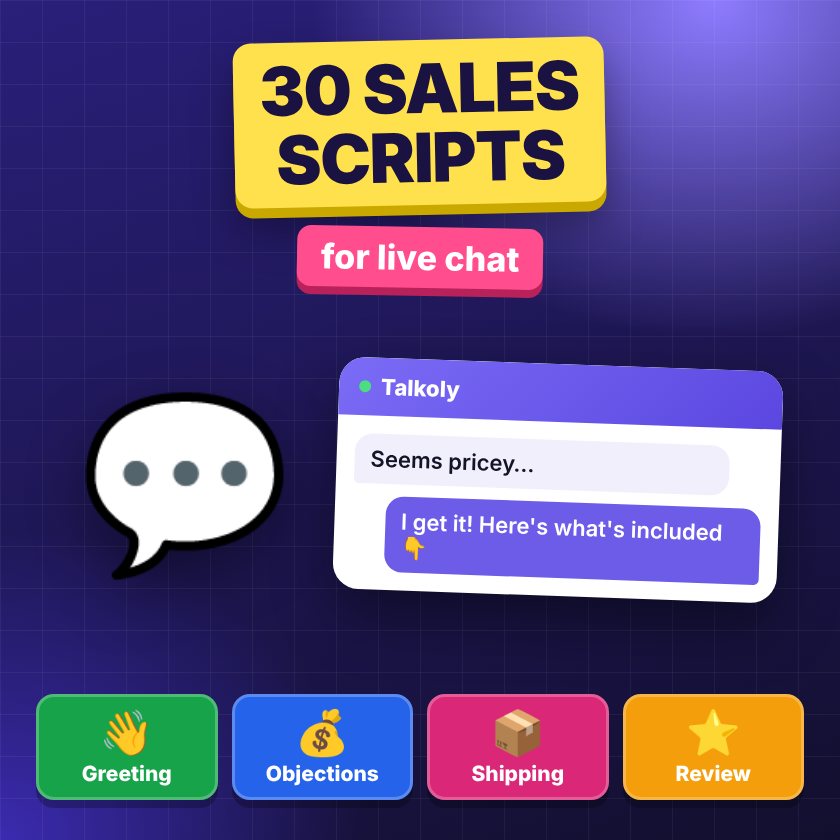
Below are 30 sales scripts, grouped by situation. Square brackets are the places to fill in. The tone is friendly and polite, with no corporate jargon. Feel free to change them to fit your brand.
How to write scripts that sell
- Keep it short. A chat isn’t a letter. Two or three sentences, then a question.
- Always a next step. “Shall I place the order?”, “Which size?”, “Shall I send the link?” — the customer shouldn’t have to guess what to do next.
- A choice instead of “yes/no”. “Would you prefer Nova Poshta or a courier?” works better than “Will you be ordering?”.
- Name and details. A template comes alive when you add the customer’s name and the product name.
- Speed matters more than the perfect phrase. Why — in the article about response time and sales.
Greeting, stock and choosing a product
Greeting and first reply
- Proactive greeting on a product page. “Good afternoon! I see you’re looking at [product name]. Can I help with size or stock?”
- Reply to the first message. “Hi, [name]! My name is [manager’s name], I’ll help you right away.”
- When you need time to check. “One moment, I’ll check the warehouse and get back to you by [time].”
- The customer wrote “Hi” and disappeared. “Hi! I’m here — tell me which product you’re interested in and I’ll help right away.”
Stock and choosing a product
- The item is in stock. “Yes, [product] is in stock in [color/size]. We can ship it today. Shall I place the order?”
- Help with size. “Could you tell me your height and usual size? We’ll recommend the right one. This model [runs small / is true to size].”
- The customer is torn between two models. “Both are good, the difference is [feature]. If [need] matters more to you, go with [model A]; if [other need], go with [model B]. What matters more for you?”
Price objections
- “Too expensive.” “I understand. The price includes [warranty / material / what’s in the box]. If you want something cheaper, there’s [alternative] for [price] — shall I show you?”
- “It’s cheaper in another store.” “Thanks for telling me. Please check if it’s the same model and warranty there. With us you get [official warranty / fast shipping / 14-day exchange].”
- Asking about a discount. “Right now we have [promotion]. I can also offer [free shipping / a gift] on orders over [amount].”
- “I’ll think about it.” “Of course. So you don’t have to search later, I can hold the item for you until this evening or send you the link in Telegram. Which is easier?”
Shipping and payment
- Shipping time. “We ship with Nova Poshta (Ukraine’s largest delivery service) [today / tomorrow]. A parcel usually takes 1–3 days. Tell me your city and I’ll check.”
- Payment methods. “You can pay by card online, cash on delivery or in installments. Which is easier for you?”
- Payment right in the chat. “I’m sending you an invoice — you can pay by card, Apple Pay or Google Pay. As soon as the payment goes through, I’ll see it and pass the order to the warehouse.”
- Waybill number. “Your order has shipped, the waybill (TTN) number is [number]. You can track the status right here in the chat.”
You can send a monobank (a popular Ukrainian online bank) or LiqPay invoice and a Nova Poshta waybill with its status right in the conversation — more on the page payments in chat.
Out of stock, and how to upsell
When the item is out of stock
- Notify when it’s back. “This model is out of stock right now, we expect it on [date]. Leave your phone or Telegram — we’ll let you know first.”
- Offer an alternative. “This color isn’t available right now, but there’s a very similar model, [name] — with the same [feature]. Shall I send a photo?”
- Pre-order. “We can take a pre-order: we’ll reserve one for you from the next delivery. Shall I set it up?”
Upselling without being pushy
- A related item. “People often buy [accessory] with [product] — it [why it’s useful]. Shall I add it to the order?”
- Free shipping threshold. “You’re [amount] away from free shipping. I can suggest something useful for that amount.”
- A bundle. “If you take [product A] and [product B] together, it’s [amount] cheaper. Shall I work it out?”
There’s one rule: offer once, and only what really fits. If the customer says no, go back to the order.
Closing the order and difficult conversations
Placing the order
- Collecting details. “Great! For shipping, please send your full name, phone, city and Nova Poshta branch number.”
- Confirmation. “Please check: [product], [quantity], shipping to [city, branch], payment by [method]. Is everything right?”
- After the order. “Thank you, [name]! Order No. [number] is confirmed. We’ll send the waybill (TTN) number right here as soon as it ships.”
Complaints and delays
- First reaction to a complaint. “[Name], I’m sorry this happened. I’ll look into it right now. Please send your order number and a photo.”
- Shipping delay. “We checked: the parcel is delayed because of [reason]. We expect delivery on [date]. I’m watching the status and will write as soon as it reaches the branch.”
- Return or exchange. “You can return or exchange within 14 days. Here’s how: [steps]. If it’s easier, I can file the request for you.”
In difficult conversations, don’t get defensive and don’t blame the carrier. What matters to the customer is that you took the problem on and named the next step.
After the purchase: asking for a review
- A few days after delivery. “[Name], your parcel has arrived — how do you like [product]? If anything’s wrong, write to us and we’ll sort it out.”
- Asking for a review. “We’d be really grateful for a short review — it helps other shoppers choose. Here’s the link: [Google / Prom / Hotline].”
- After a positive review. “Thanks for the kind words! Here’s a promo code for your next order: [code] for [discount].”
How to save scripts as quick replies
Scripts only work when they’re at hand. Most chats let you save them as quick replies and call them up with a command. Here’s how to organize it:
- Pick the 5–10 most common situations. Usually these are shipping, payment, stock, returns and closing the order.
- Give each a short command. For example, “/shipping”, “/payment”, “/returns”, “/ttn”, “/review”.
- Leave room for personal touches. After inserting a template, add the name and the product — it takes seconds.
- Review them once a month. If shipping terms or a promotion changed, update the text so managers don’t send outdated info.
Talkoly’s free plan includes up to 5 quick replies — enough for the most common questions, and paid plans have more. Quick replies work both in the panel and on your phone. If you reply from Telegram, keep your templates in a pinned message — read about this way of working in the article how to reply to customers from Telegram.
And if you’re wondering whether to hand some of these replies to a bot, there’s a comparison in the article chatbot or live agent.
Frequently asked questions
Won’t scripts sound like a robot replying?
They will if you paste them unchanged. Add the customer’s name, the product name and one real detail — and to the customer, the template stops being a template.
How many quick replies do I need to start?
Five to ten is enough. Start with the questions you get every day, and add new ones when you notice you’re writing the same answer for the third time.
Can I use these scripts in Instagram and Viber?
Yes, the texts work anywhere. If all your channels are in one inbox, the same quick replies will work everywhere.