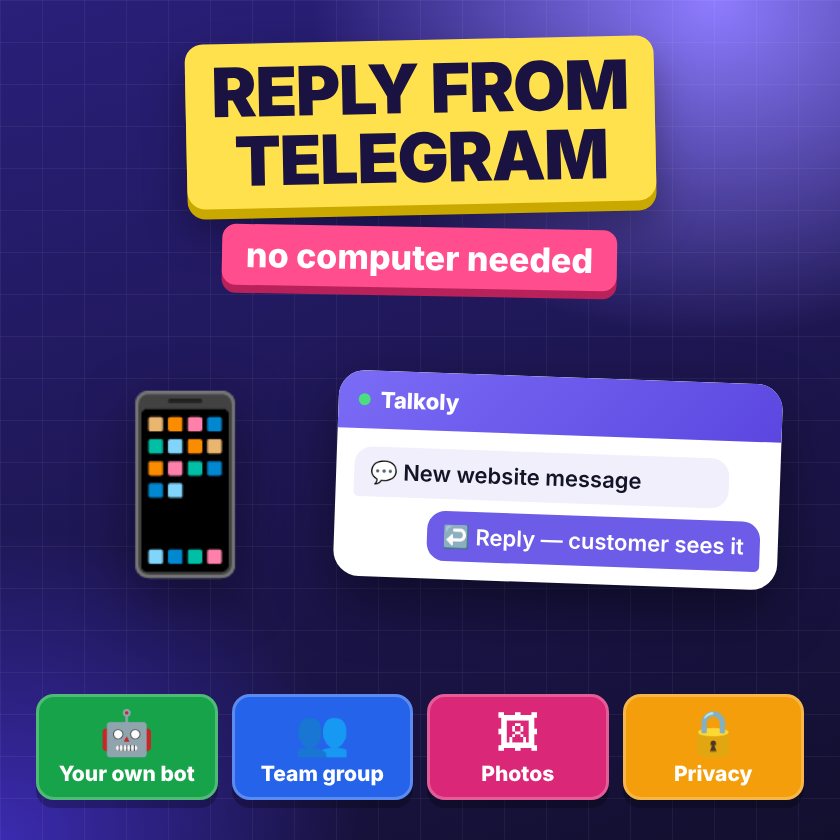
- A message from your website chat arrives in a Telegram bot. You answer with a reply, and the customer sees your answer on the website.
- You can connect your own bot via @BotFather and add it to your team’s group chat.
- Photos work both ways. Conversation history and customer contacts are saved in the dashboard.
- The customer doesn’t see your personal Telegram account.
Why reply from Telegram
In a small online store, the same person often answers questions, packs orders and goes to the post office. Sitting in front of the agent dashboard tab all day is simply impossible. And a chat message left unanswered for half an hour almost always means a lost customer. Why that happens is explained in detail in the article why reply speed decides the sale.
Most of us have Telegram open on our phones all the time. If website messages arrive there, you see them as fast as messages from friends and reply within a minute, without opening any extra apps.
In Talkoly, replying from Telegram is available on all plans, including the free Start plan.
How it works
The setup is simple:
- A visitor writes in the chat on your website.
- The message instantly arrives in a Telegram bot, together with the text and any photos the customer sent.
- You answer that message with a reply (swipe left or tap “Reply”).
- The customer sees your answer in the chat widget on the website — as if you wrote it from the dashboard.
The reply is the key part. That’s how the bot knows which customer your answer is for. If three visitors are writing at the same time, each of your answers goes exactly to the person you replied to. A normal message without a reply won’t be linked to any specific conversation.
Photos both ways
A customer sends a photo of a broken part or a screenshot of an error — you see it in Telegram. You send a photo of a product from another angle or a photo of the size label — the customer sees it in the website chat. For an online store this is often the deciding part of the conversation: “can you show me what it looks like up close?”
Your own bot via @BotFather
You can connect Telegram through the service’s standard bot or through your own. Your own bot has your store’s name and avatar, and it’s easy to add to work chats.
How to create a bot:
- Open @BotFather in Telegram — the official bot for creating bots.
- Send the command /newbot.
- Enter a name, for example “Kashtan Store Chat”.
- Enter a username — it must end in “bot”, for example kashtan_shop_chat_bot.
- BotFather will send you a token — a long string of numbers and letters. Copy it.
- Paste the token into the Telegram settings in your chat account.
Important about the token: it’s basically the password to your bot. Don’t forward it to group chats or show it in screenshots. If the token ends up in the wrong place, you can reissue it in @BotFather and then update it in your account.
A group chat for the team
When you have two or more agents, it’s handy to add the bot to your team’s group chat. Then everyone sees new website messages, and whoever is free replies.
To keep the group from turning into chaos, agree on a few rules:
- Whoever replies first leads the conversation. Others don’t step in unless asked.
- If you can’t answer properly yet, send the customer a short “holding” message: “I see your question, I’m checking with the warehouse, I’ll get back to you in 5 minutes.”
- Internal discussion goes in a separate message without a reply or in a separate chat, so you don’t accidentally send the customer “who is this person anyway?”
- Don’t add extra people to the group. All group members see customer messages, including phone numbers if customers left them.
If conversations multiply and the team grows, it’s easier to handle part of the flow in the dashboard with departments and handing conversations to a colleague — while Telegram stays for quick replies on the go.
What stays in the dashboard
Telegram is a handy way to reply, but it’s not the only place your data is stored. The whole conversation, no matter where you replied from, is saved in the agent dashboard:
- Conversation history. 30 days on the Start plan; full history on Business and Pro.
- Customer contacts: phone, email, Telegram — whatever the person left in the chat or the offline form.
- Who is on the site right now: page, city, traffic source — and the option to write first.
- Sales tools on the Business plan: product cards, monobank (a popular Ukrainian mobile bank) and LiqPay invoices, Nova Poshta (Ukraine’s largest delivery service) waybills (TTN).
So if a colleague replied to a customer from Telegram yesterday, and today the customer comes back with a delivery question, you’ll see the whole earlier conversation in the dashboard.
The dashboard as an app on your phone
To work fully from your phone, not just send quick replies, install the agent dashboard as a web app (PWA — a website you can install like an app). It’s not an app from the App Store or Google Play — you add it to your home screen right from the browser.
- Android (Chrome): open the dashboard, tap the three-dot menu → “Add to Home screen” or “Install app”.
- iPhone (Safari): open the dashboard, tap “Share” → “Add to Home Screen”.
After installing, allow notifications — and push alerts about new messages will arrive even when the browser is closed. You can combine both: Telegram for quick replies, the dashboard app when you need to see the history, send an invoice or add a waybill.
Notification hygiene: how not to live in the chat 24/7
The flip side of convenience is feeling like you’re always at work. A few rules to avoid that:
- Set your working hours. After hours, the chat will show customers an auto-reply and the offline form instead of pretending you’re online. In the morning, you message the people who left their contacts.
- Be honest about when you’re available. If you’re leaving for two hours and can’t reply, it’s better for the chat to switch to offline mode with a form than for a customer to write into the void.
- A separate chat instead of personal messages. Keep the work bot or group in a separate Telegram folder and give it its own sound. That way you instantly tell customers apart from friends.
- Shifts in the team. If you have several agents, agree on who replies in the evenings and on weekends. Everyone else can mute the group during that time.
- An AI assistant for after hours. On the Pro plan, it answers from your knowledge base when no agents are around, and if it doesn’t know the answer, it asks for a contact and passes the request to people. The limits of this kind of automation are covered in the article chatbot or live agent.
Privacy: what the customer sees
A common worry: “If I reply from my own Telegram, will the customer see my personal account, number or photo?” No. The customer talks to the widget on the website and only sees the replies there. Your personal account, phone number and username stay hidden — the bot only passes along text and photos.
This also matters for your agents’ safety: nobody will message them privately at one in the morning with a complaint or an offer. All communication with the customer goes through the store’s chat and is saved in its history.
Learn more on the Telegram chat for website page. If you don’t have a chat on your site yet, start with the article how to install a chat on your website.
FAQ
Do I need to create my own bot?
Not necessarily. You can work through the service’s standard bot. Your own bot via @BotFather is needed if you want it to have your store’s name and avatar, or if you plan to add it to your team’s group chat.
Can I send photos to a customer from Telegram?
Yes. Photos work both ways: the customer sends them from the website and you see them in Telegram, and vice versa — a photo you send as a reply appears in the website chat.
Will the customer see my phone number or username?
No. The customer only sees the reply in the widget on the website. Your personal Telegram account stays hidden.
What happens if I answer without using reply?
The bot won’t know which customer the message is for, so it won’t get into the right conversation. Always answer with a reply to the customer’s message.
Is replying from Telegram available on the free plan?
Yes, replying from Telegram is included in the free Start plan. You can compare plans on the pricing page.